Turn a conversation into running software.

A self-hosted platform that interviews you, writes the spec, splits it into atomic tasks and dispatches each one to a coding agent in its own Docker sandbox, then tests, merges and deploys.

spec-driven superpowers skills docker sandboxes human in the loop gitea coolify
How it works

One pipeline, from idea to production.

Every handoff between people loses context. Painkiller automates the whole path and keeps a human analyst in control.

1

An interview, not a form

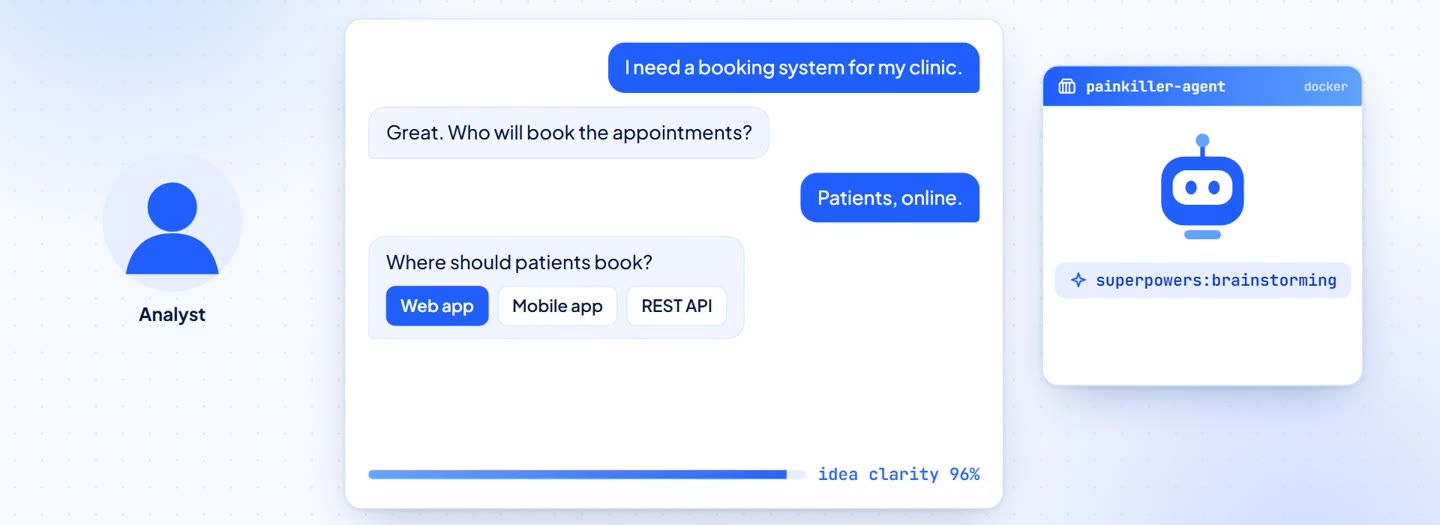
A containerized agent runs the Superpowers brainstorming skill and asks you one question at a time, often as clickable choices, until the idea is clear.

  • Streamed live to the browser
  • Drop in files, screenshots and docs as context
  • Pick up where you left off after a restart
The analyst answering the brainstorming agent's questions
2

The spec drives everything

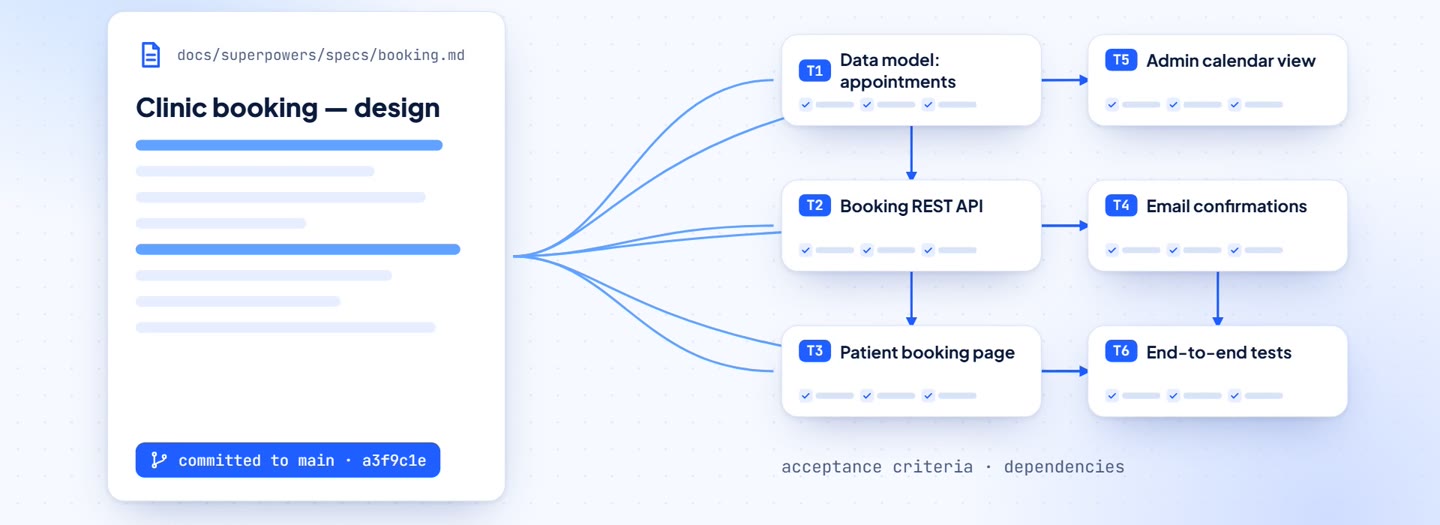
The interview produces a written specification, versioned in the project's Git repository. It is then decomposed into small, atomic tasks, each with acceptance criteria, target files and dependencies.

  • Specs and plans live in docs/superpowers/
  • The backlog is imported in one click
  • Add manual tasks at any time
A spec document being split into dependent tasks
3

One sandbox per task

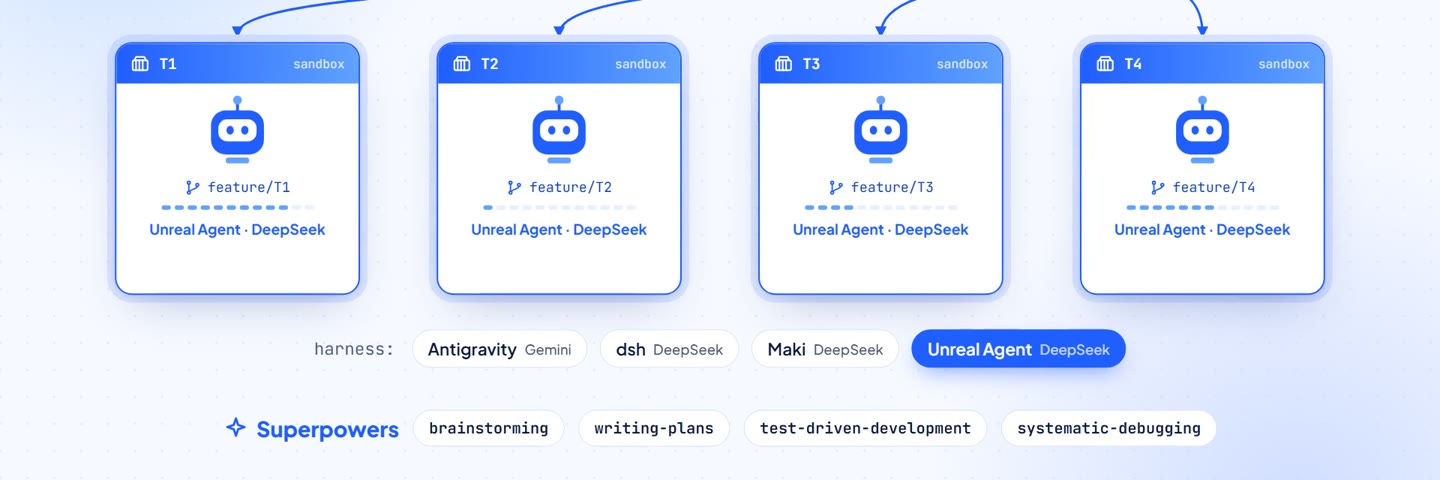
Each task runs in its own throwaway Docker container on its own feature/* branch. Pick a harness per project, and the agent still gets the same Superpowers skills: planning, test-driven development, systematic debugging.

  • Tool calls stream live while the agent works
  • Per-project package caches for faster starts
  • Guided or direct mode, per session or per task
Four sandboxed agents, one per task, each on a feature branch
4

Ask, don't guess

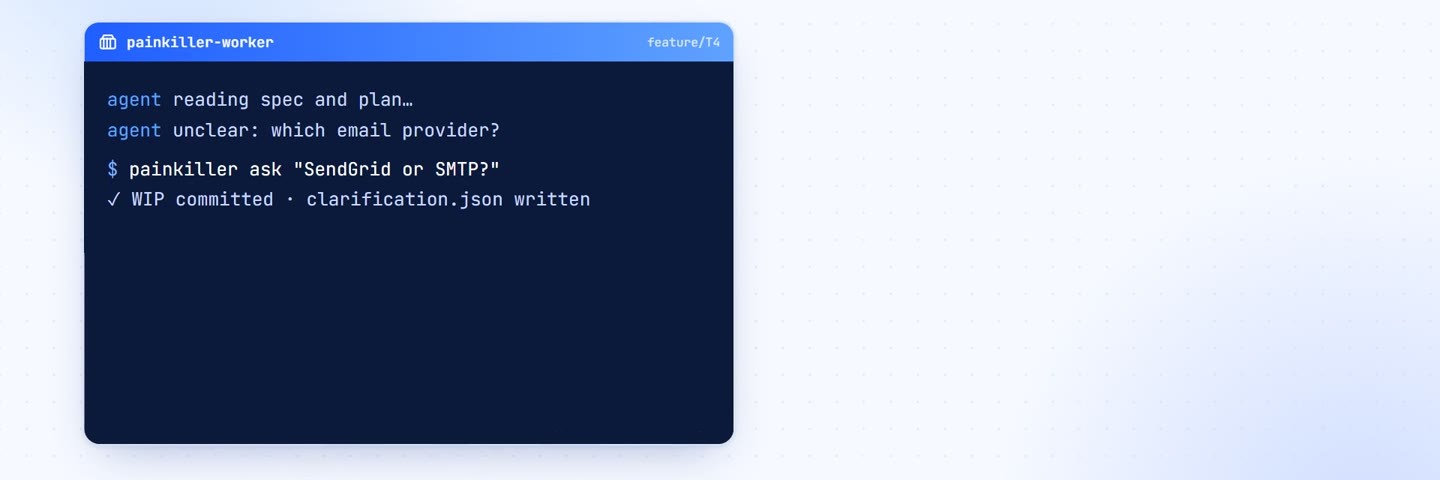
When an agent hits ambiguity it runs painkiller ask, commits its work in progress and pauses. The task waits for you, and once you answer, the agent resumes on the same branch with the answer in hand.

  • No hallucinated requirements
  • Answers are never asked twice
A terminal showing painkiller ask pausing the task for the analyst
5

Green means merge

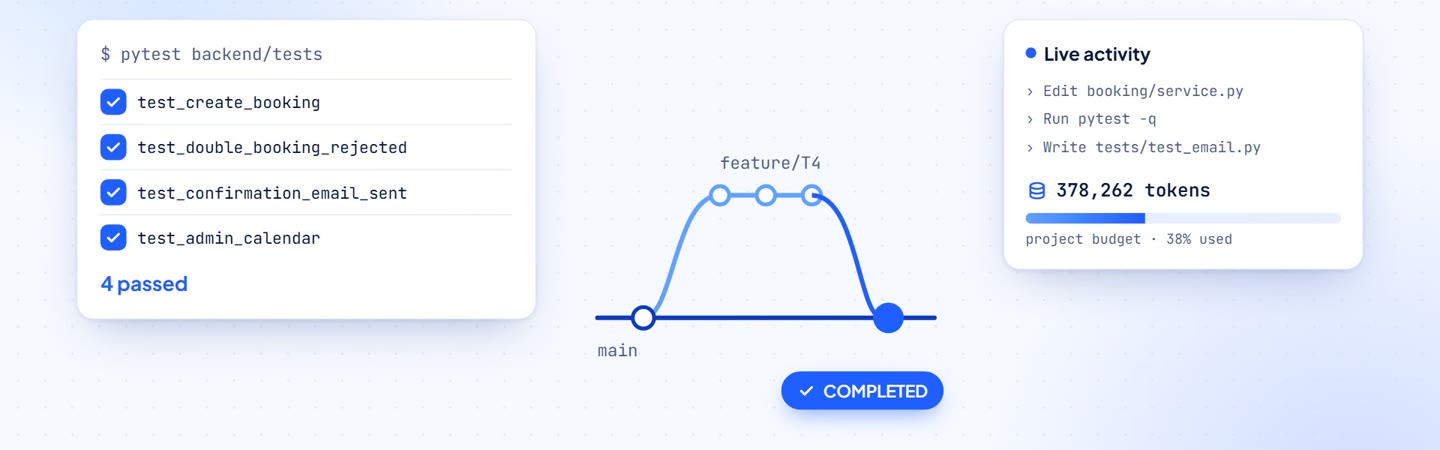
When the agent finishes, the tests run in a fresh worker container. Passing tasks are committed and merged automatically. Every token is counted against the project's budget.

  • Per-task time and tokens
  • Per-project budget, with admin and per-project prices
Tests passing, a feature branch merged into main, and a token counter
6

Shipped with Coolify

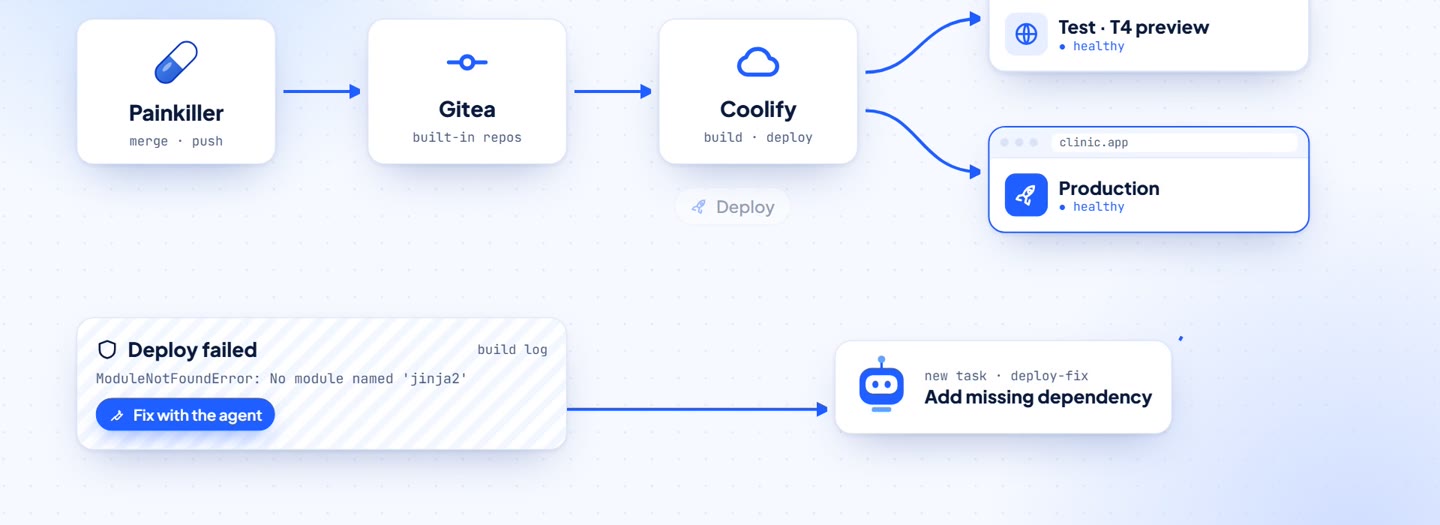
Painkiller pushes to its built-in Gitea and hands the branch to Coolify. Any completed task can be tested on its own preview, and production is one click away. If a deploy fails, its log becomes a new task for the agent.

  • Live deploy logs and status
  • "Fix with the agent" on failed deploys
Painkiller to Gitea to Coolify, with preview and production environments
Harness-agnostic

Bring the agent you prefer.

Each project picks its harness, model and reasoning effort. Every harness emits the same event stream, so the rest of the platform can't tell them apart.

agy

Antigravity CLI

Google's agent CLI, running Gemini.

dsh

DeepSeek Harness

The official DeepSeek harness, driven over the Agent Client Protocol.

maki

Maki

A Rust coding agent on DeepSeek V4.

unreal

Unreal Agent

A Go runner on the Responses API, served by DeepSeek.

Each project brings its own API key for its provider. There is no shared server key.

Everything in the box

Self-hosted, end to end.

One docker compose up brings up the API, the UI, a Git forge and a deploy platform. No .env to fill in.

Isolated sandboxes

Agents run as sibling containers with only the project repo mounted. Nothing they install outlives the task.

Superpowers skills

Brainstorming, writing plans, TDD and systematic debugging are baked into every harness image.

Built-in Gitea

Each user gets a private Gitea account. Every task has a branch and a mirrored issue that shows its status.

Coolify deploys

Coolify is configured automatically. You get preview environments for each task and production on demand.

Cost tracking

Every token is recorded and priced when you read it, so changing a price reprices history. Each project has a budget.

Multi-user

One administrator plus Google sign-in, with projects isolated per owner. The UI is in English and Portuguese.

Quickstart

Running in one command.

All you need is Docker and Docker Compose, plus an API key per project (Google Gemini or DeepSeek).

  1. Clone and run the scriptIt checks Docker, builds every harness image and waits for the API.
  2. Open localhost:8000The first person to open it creates the administrator account.
  3. Follow the setup wizardSet the public URL, optionally Google sign-in, and Coolify, which can be configured automatically.
  4. Create a project and start the analysisPick a harness, paste its key, and start talking.
terminal
# clone
$ git clone https://github.com/ricardoborges/Painkiller.git
$ cd Painkiller

# Linux / macOS
$ ./linux-run.sh        # or ./mac-run.sh

# Windows
> powershell -ExecutionPolicy Bypass -File .\win-run.ps1

# then open http://localhost:8000
conversationspectasksproduction

Stop pasting prompts. Ship software.

Painkiller is open source and self-hosted. Your code, your keys, your servers.